CSS Margins

CSS Margins
Margins are used to create space around elements, outside of any defined borders.
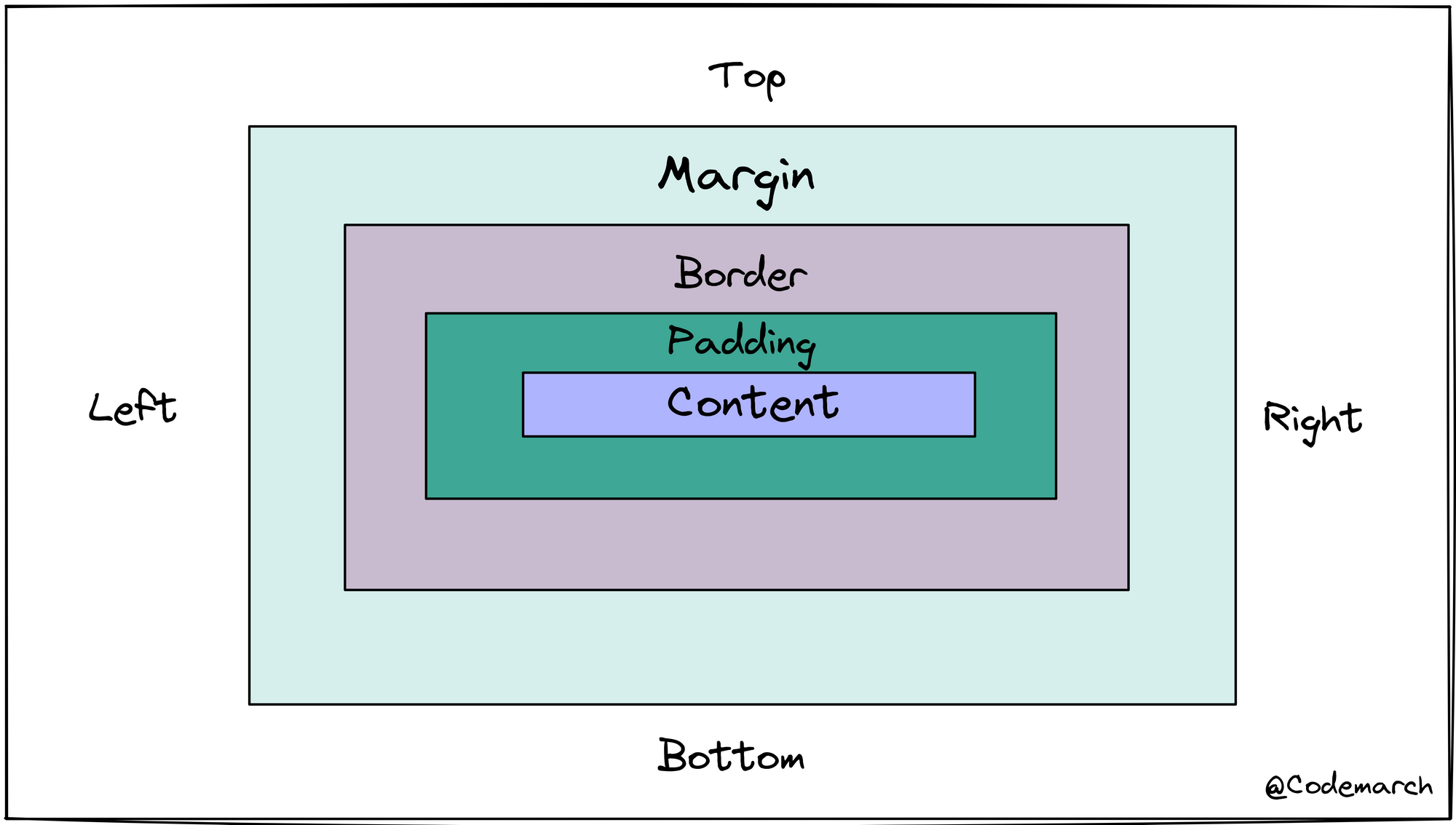
Margin - Individual Sides
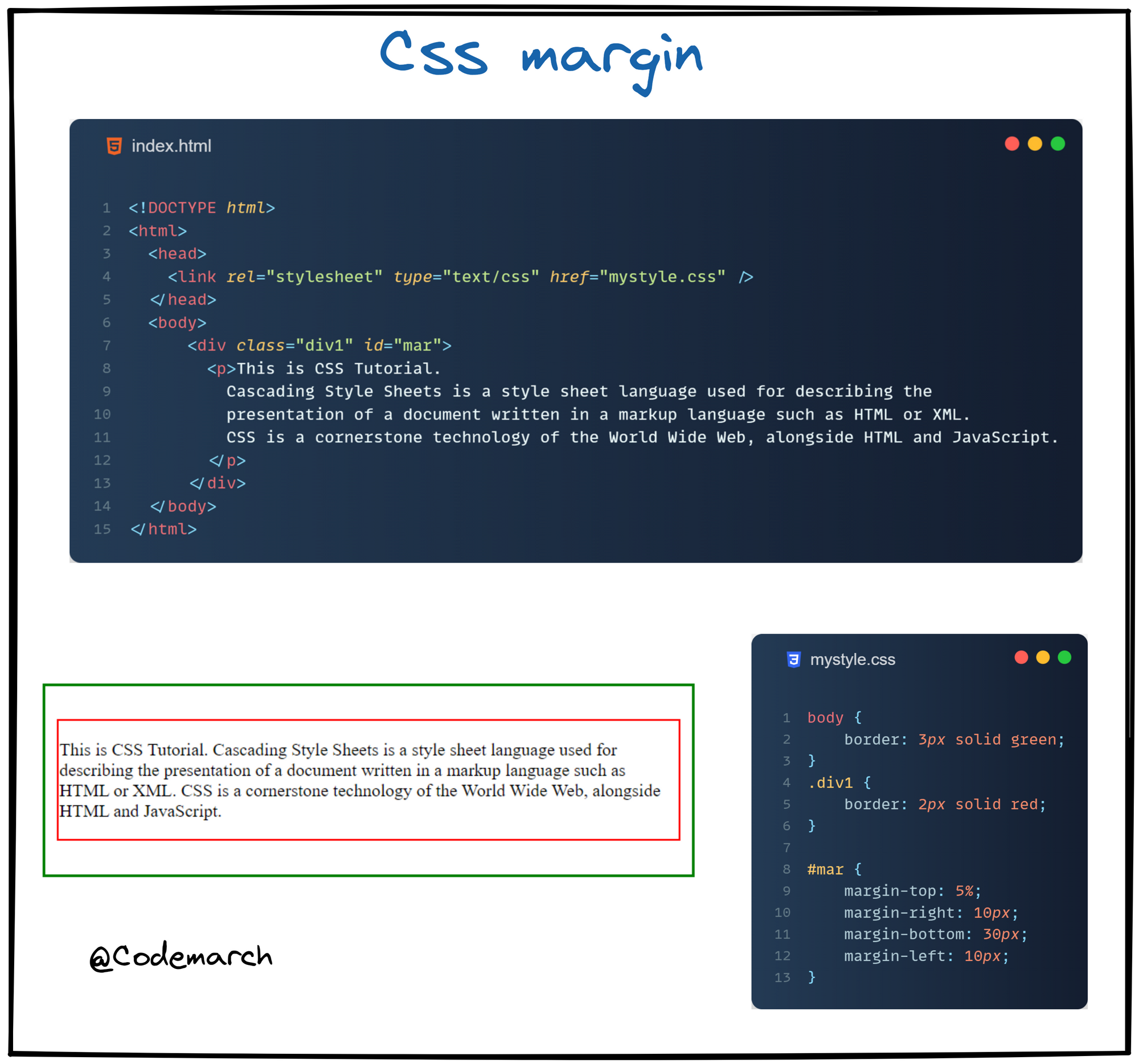
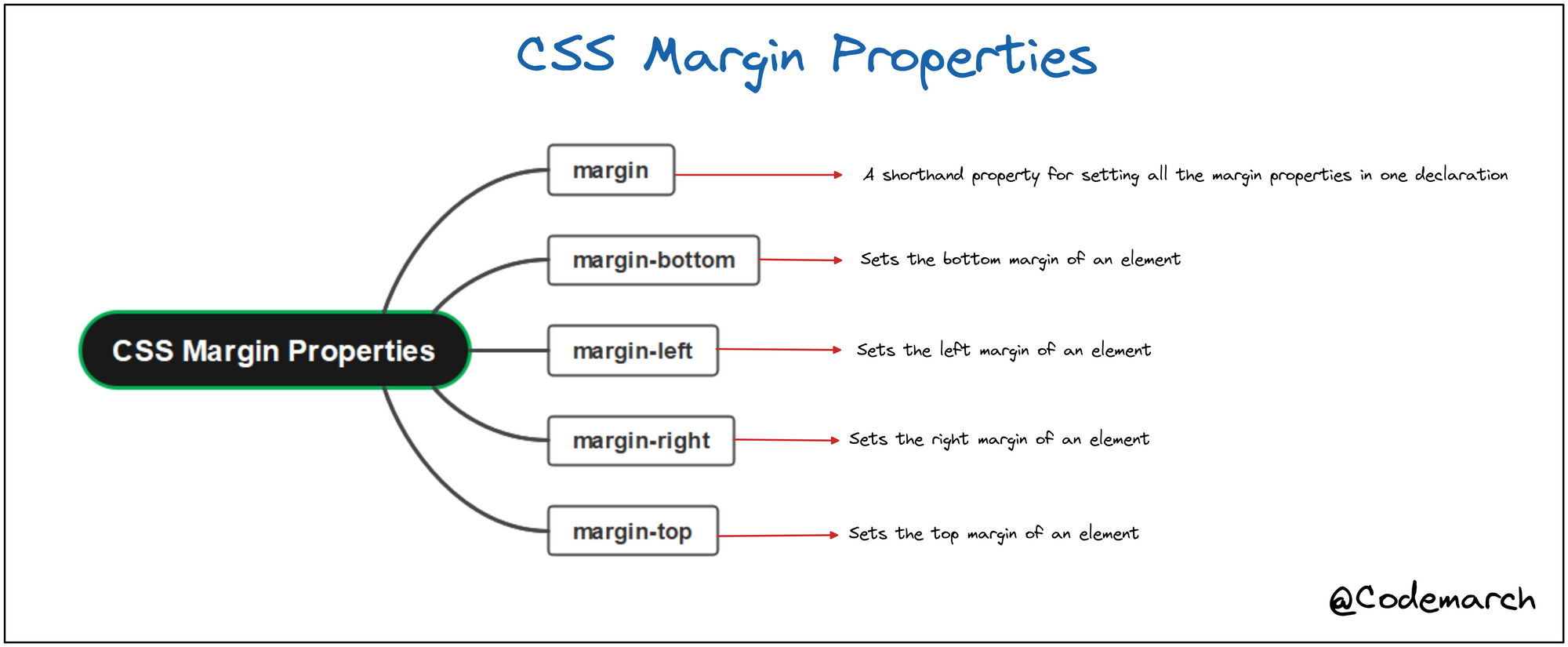
CSS has properties for specifying the margin for each side of an element:
margin-topmargin-rightmargin-bottommargin-left
Example 1👇
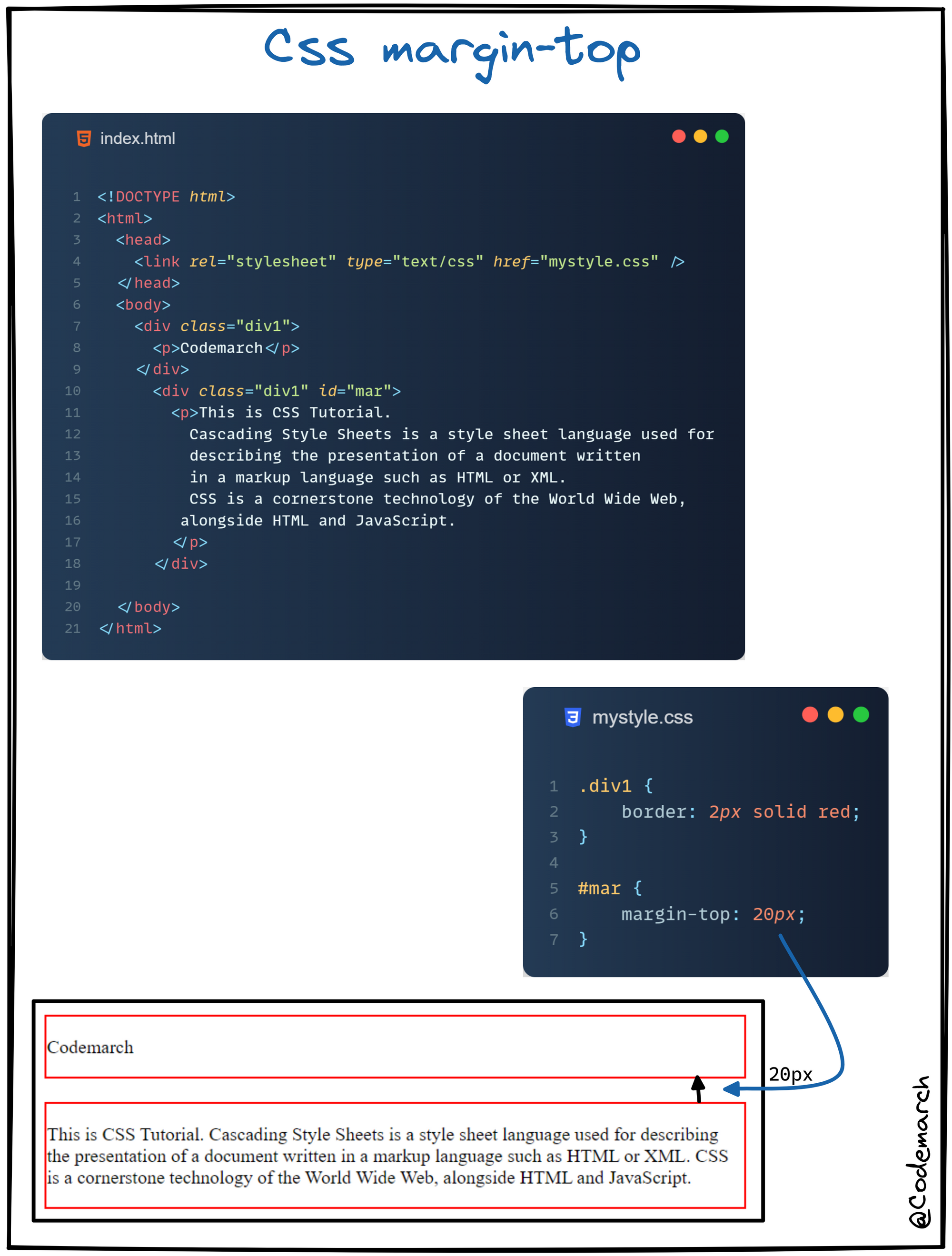
Example 2👇
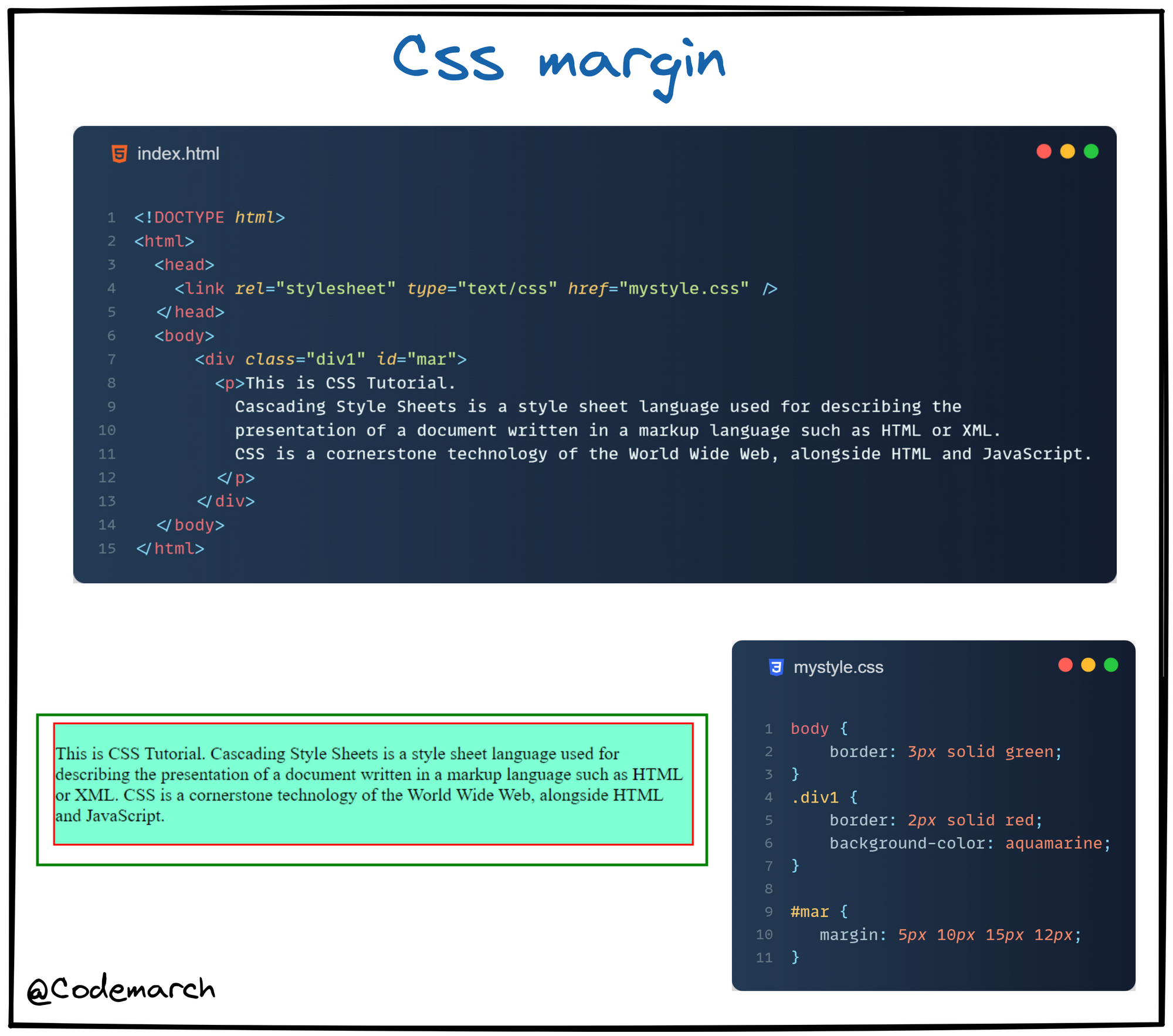
Margin-Shorthand Property 👇
To shorten the code, it is possible to specify all the margin properties in one property.
Diagram 👇
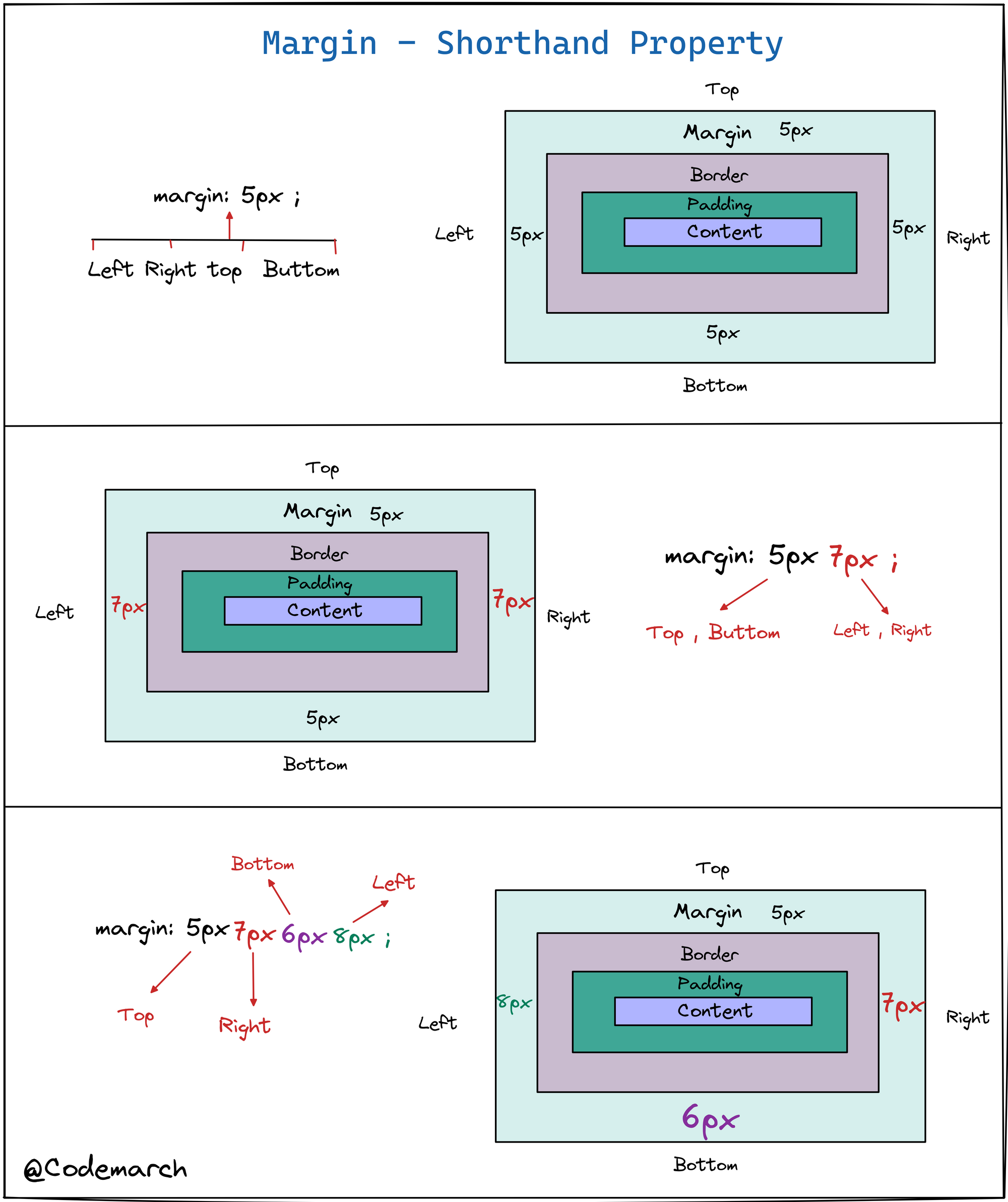
Example1👇
All CSS Margin Properties 👇
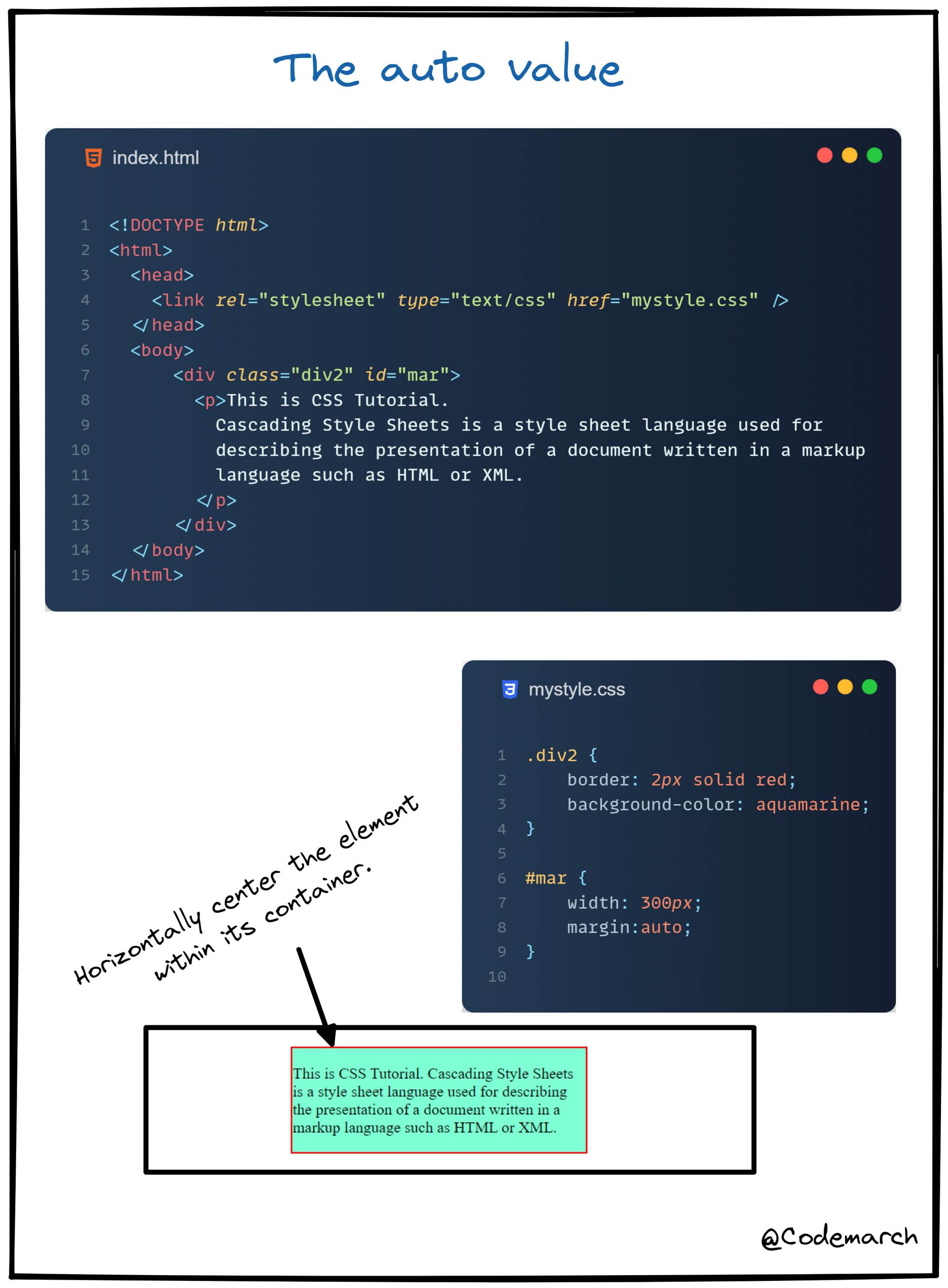
The auto Value
You can set the margin property to auto to horizontally center the element within its container.👇
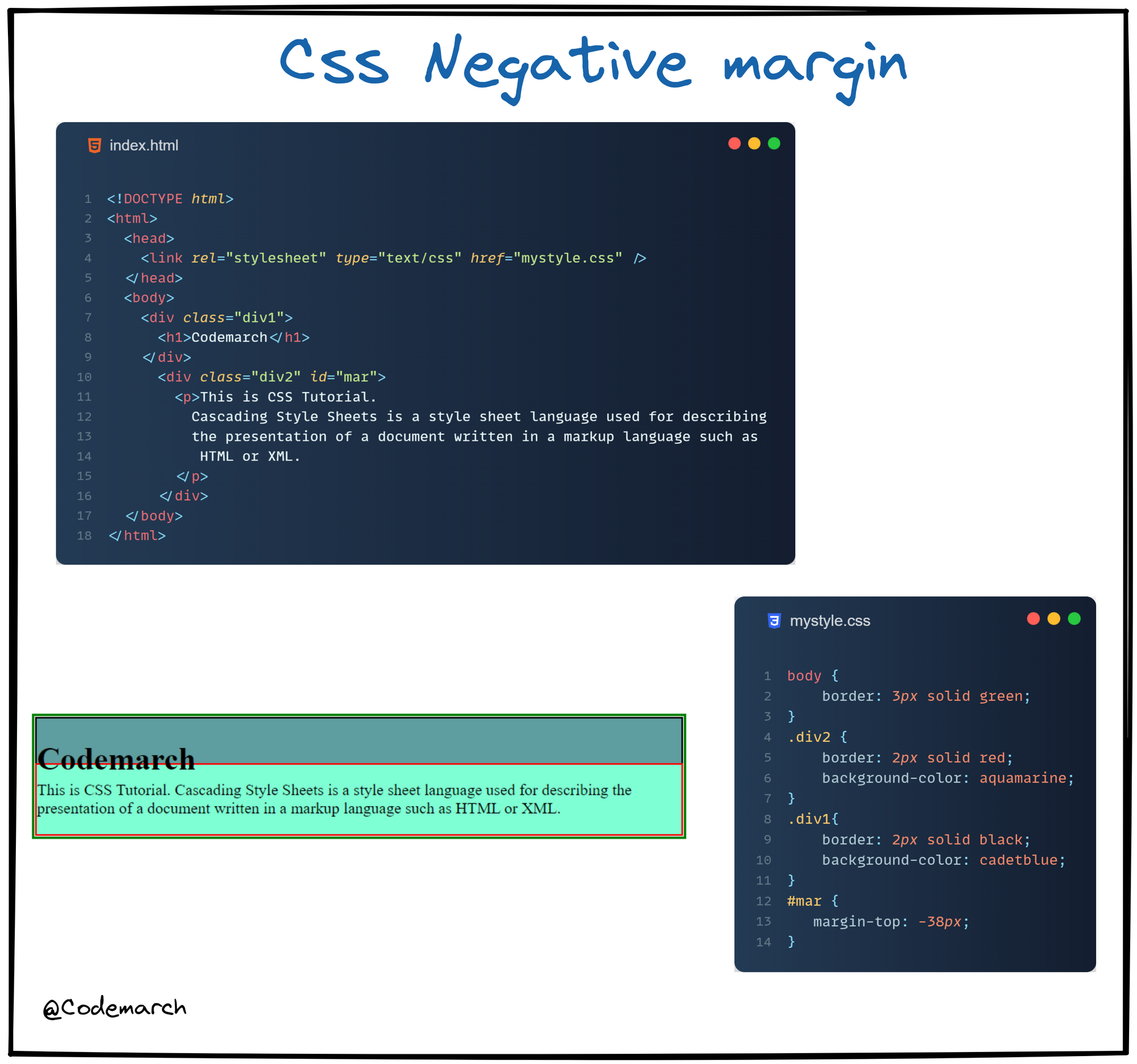
It is possible to give margins a negative value 👇
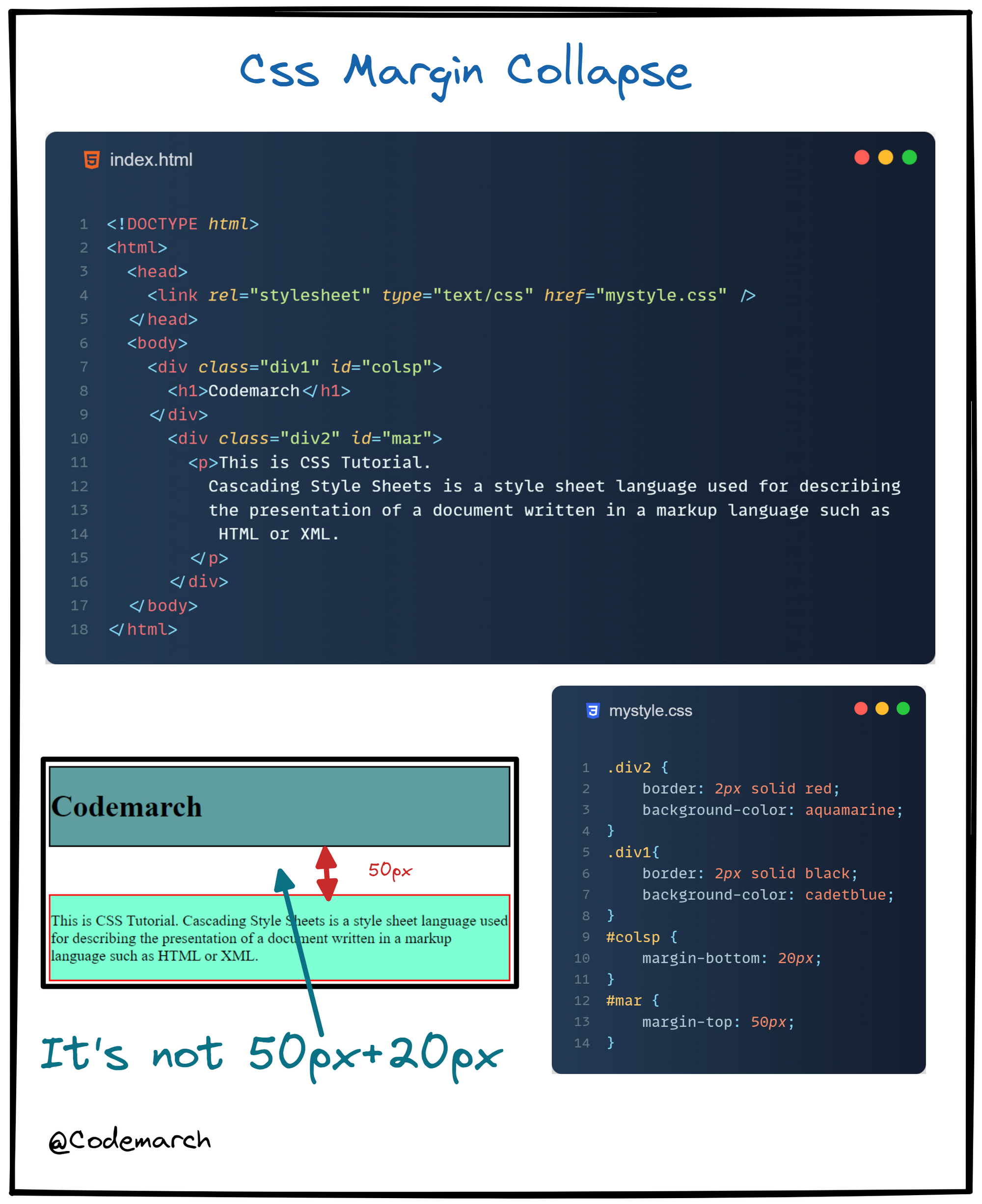
Margin Collapse👇
👉 The top and bottom margins of elements are sometimes collapsed into a single margin that is equal to the largest of the two margins.
👉 This does not happen on left and right margins! Only top and bottom margins!
Example👇
 >
Download our HTML & CSS Visual Treat! ebook Here:
Click here
>
Download our HTML & CSS Visual Treat! ebook Here:
Click here


