HTML Tables & Lists

HTML Tables
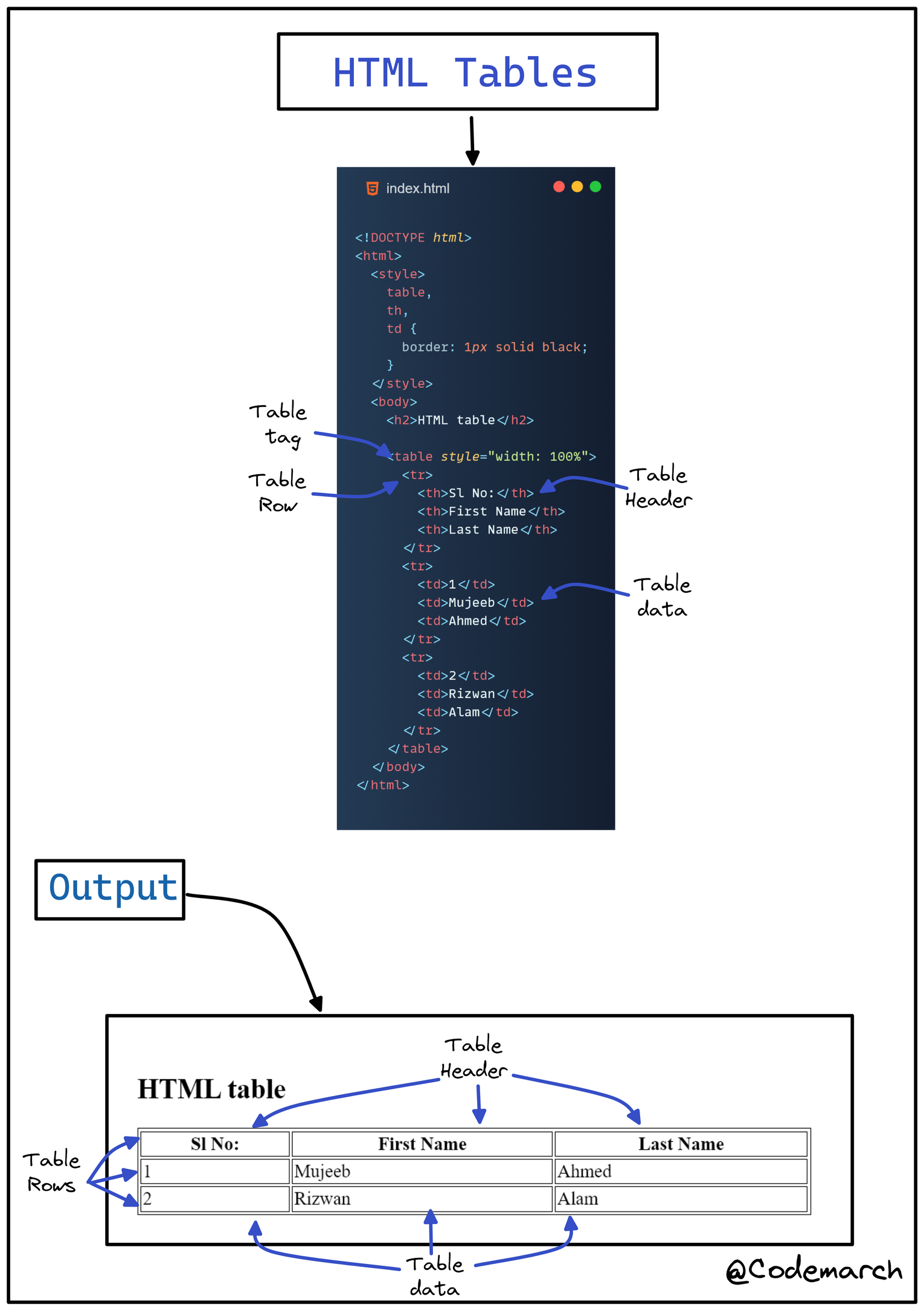
👉 HTML tables allow web developers to arrange data into rows and columns.
👉 Define an HTML Table
- A table in HTML consists of table cells inside rows and columns.
👉 Table Cells
- Each table cell is defined by a
<td>and a</td>tag. tdstands for table data.- Everything between
<td>and</td>are the content of the table cell.
👉 Table Rows
- Each table row starts with a
<tr>and ends with a</tr>tag. trstands for table row.
👉 Table Headers
- Sometimes you want your cells to be table header cells. In those cases use the
<th>tag instead of the<td>tag: thstands for table header.
👉 Example
HTML Lists
HTML lists allow web developers to group a set of related items in lists.
👉 Unordered HTML List
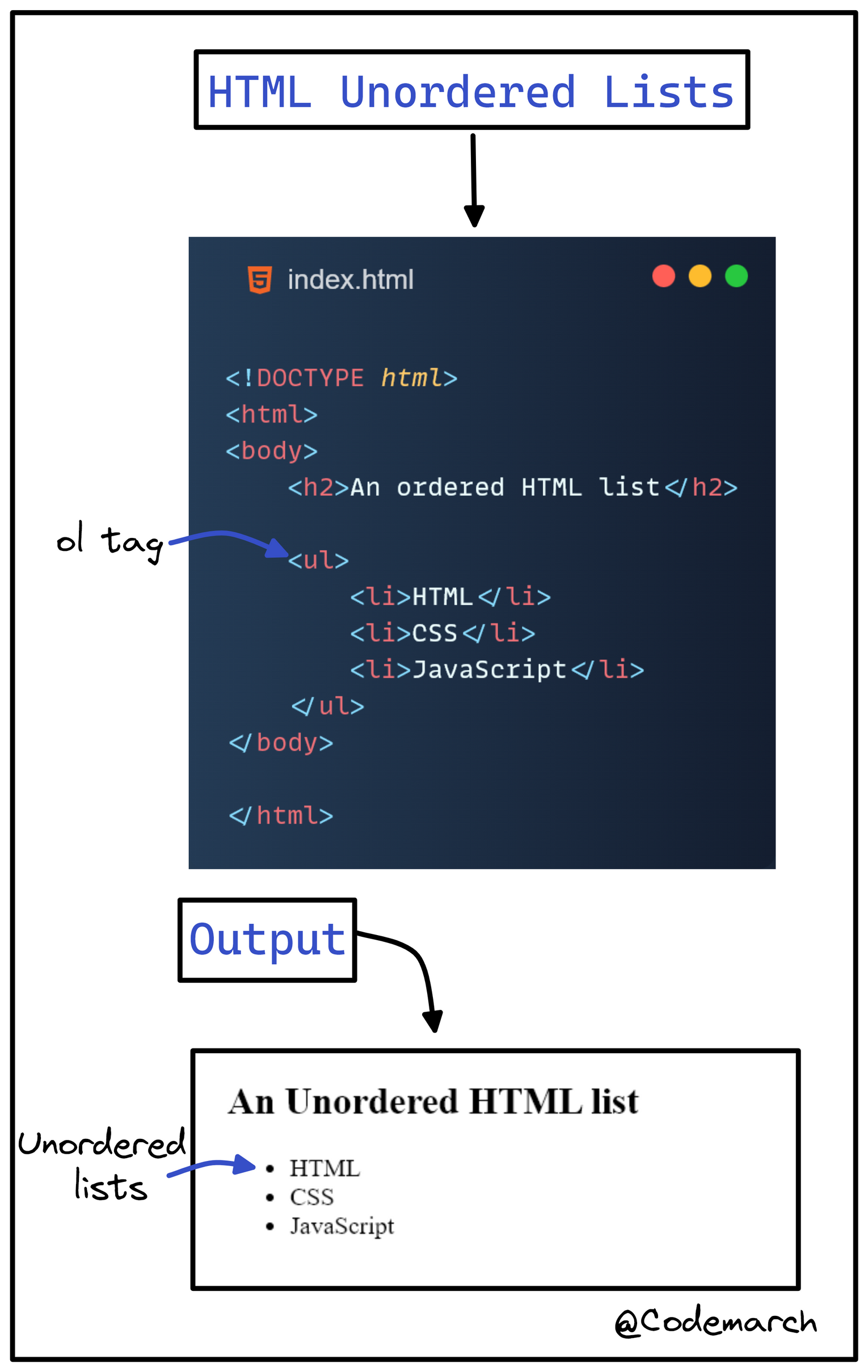
- An unordered list starts with the
<ul>tag. Each list item starts with the<li>tag. - The list items will be marked with bullets (small black circles) by default:
👉 Example➖
👉Ordered HTML List
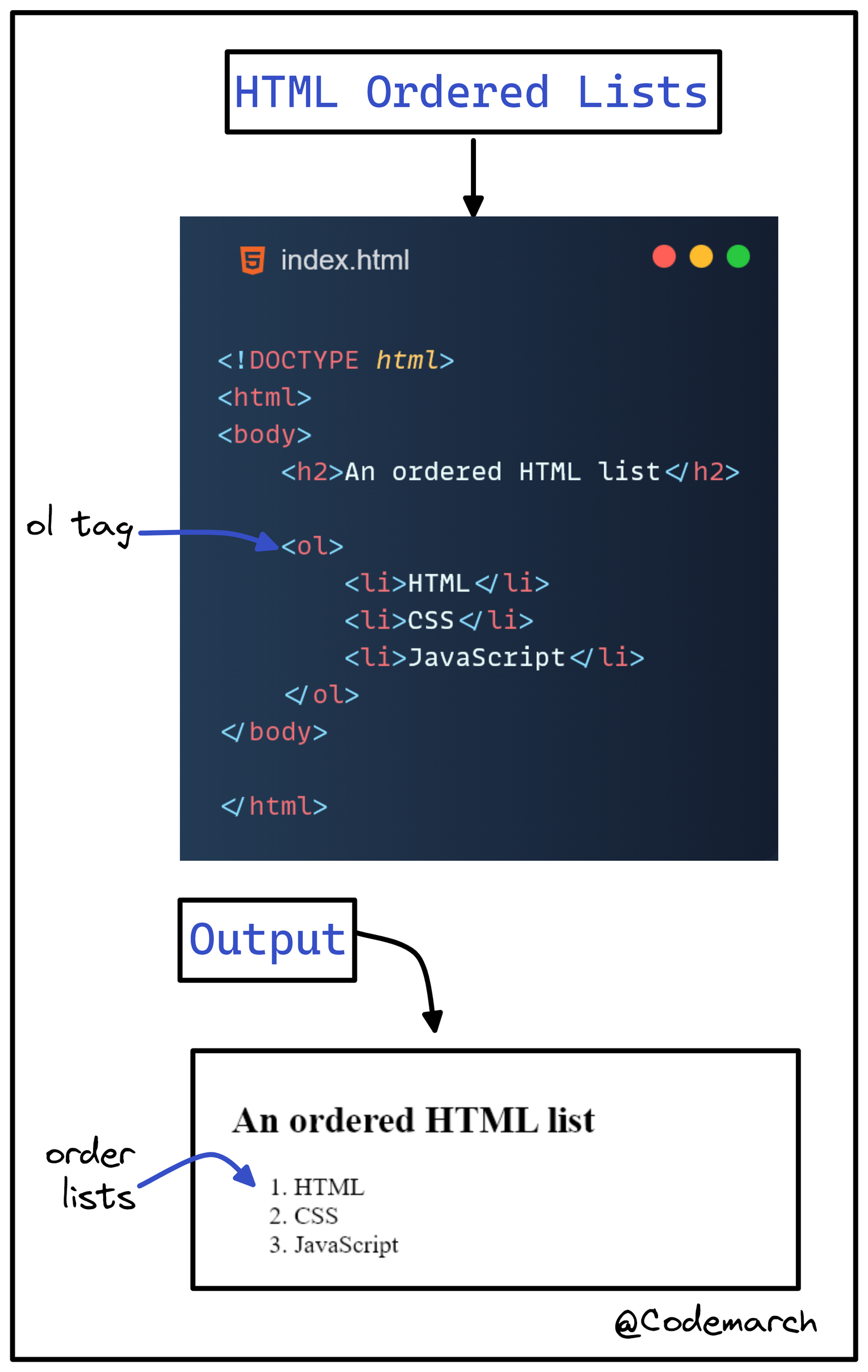
- An ordered list starts with the
<ol>tag. Each list item starts with the<li>tag. - The list items will be marked with numbers by default:
👉 Example➖
👉 HTML Description Lists
- HTML also supports description lists.
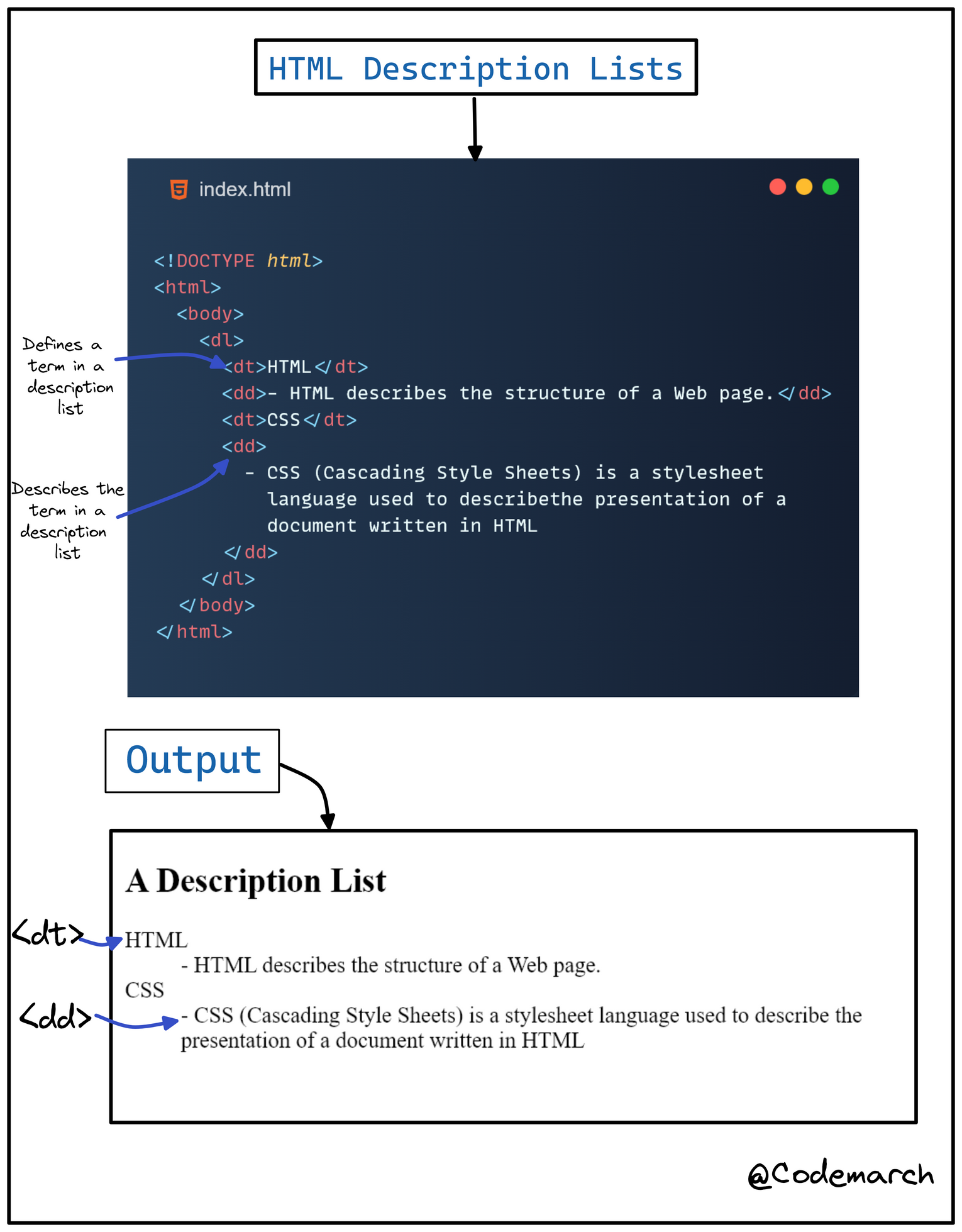
- A description list is a list of terms, with a description of each term.
- The
<dl>tag defines the description list, the<dt>tag defines the term (name), and the<dd>tag describes each term:
👉 Example ➖
 >
Download our HTML & CSS Visual Treat! ebook Here:
Click here
>
Download our HTML & CSS Visual Treat! ebook Here:
Click here


